









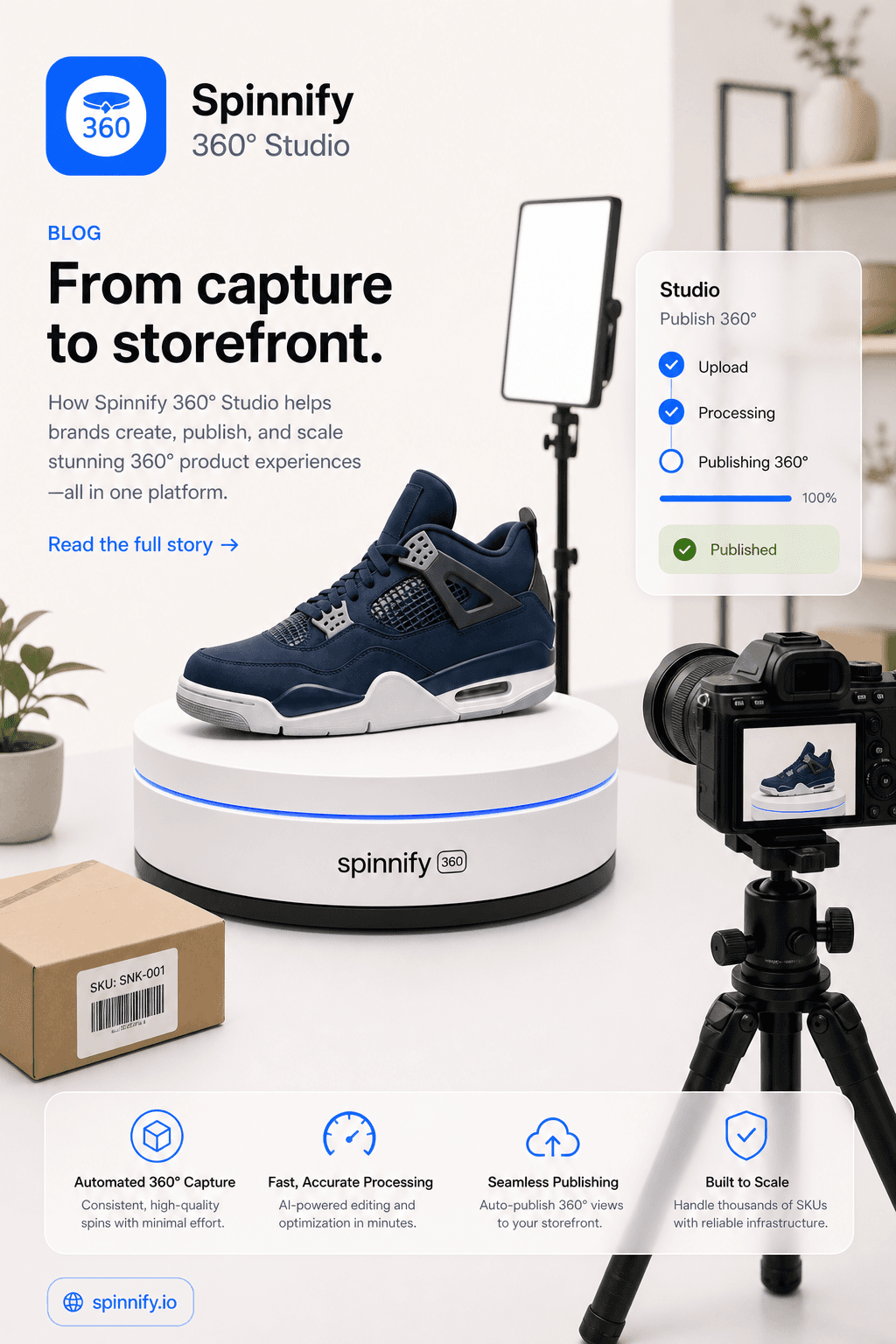
360 Product Photography Equipment: Turntable, Lights, and What You Skip
Choose a turntable, lights, camera, and backdrop for 360 product photography, then publish consistent frames with Spinnify.
Read articleAdd 360° spins and interactive 3D models to your product pages
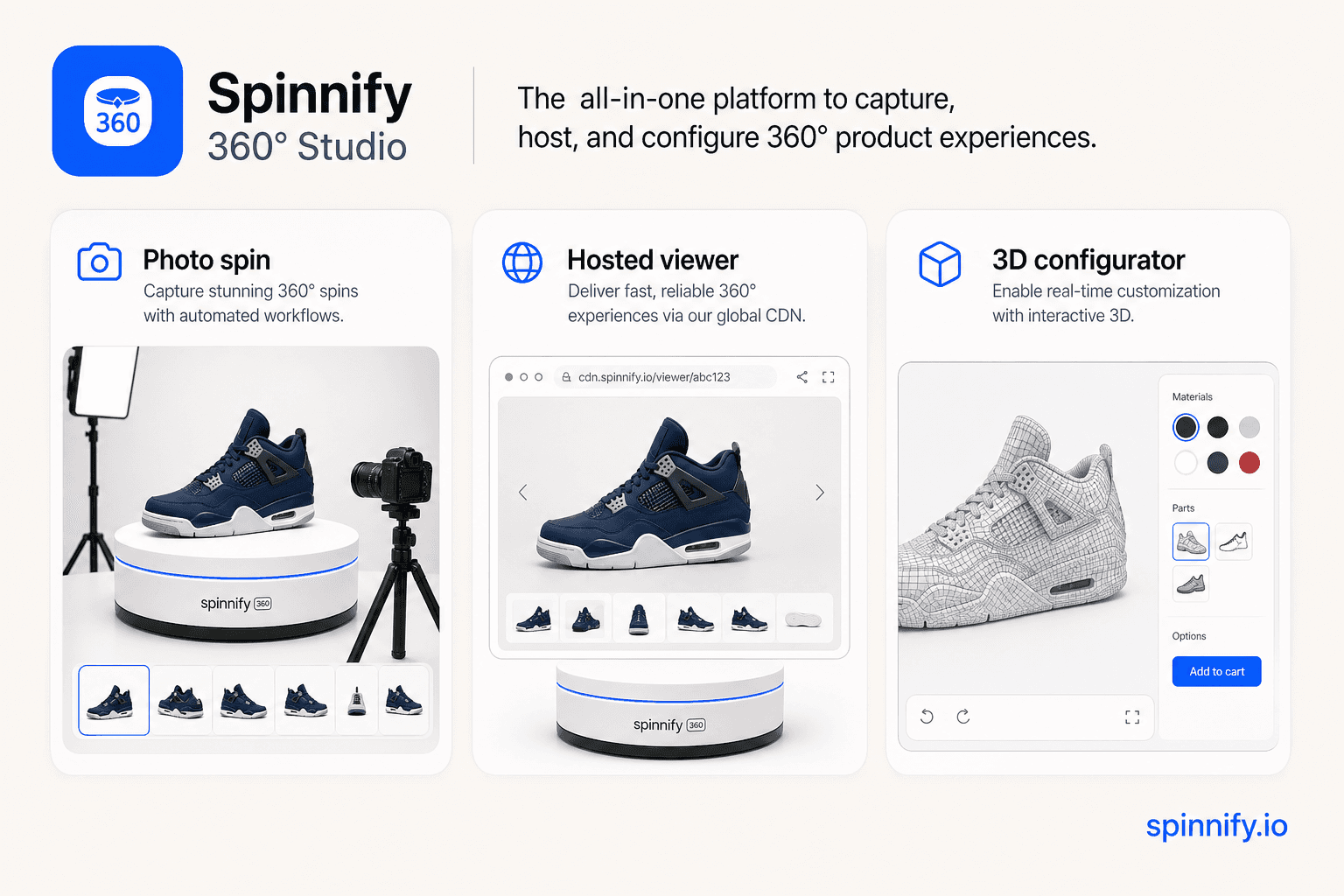
Spinnify 360° Studio is a no-code 360° and 3D product viewer for ecommerce. Upload a photo sequence, a short rotation video, or a GLB model, then paste one <script> snippet into Shopify, WooCommerce, Webflow, WordPress, or a Custom HTML block. Bind by SKU, page URL, or Schema.org Product markup — the viewer opens as an interactive modal popup.
Customers search for a simple way to add 360 view to a website without coding. Spinnify 360° Studio gives ecommerce teams a universal 360 spinner plugin experience: upload frames or drop one rotation video, paste one snippet, and let shoppers rotate the product in a modal popup.
Works where you can add a script, iframe, or Custom HTML block
Shoppers rotate the item instead of guessing from flat images
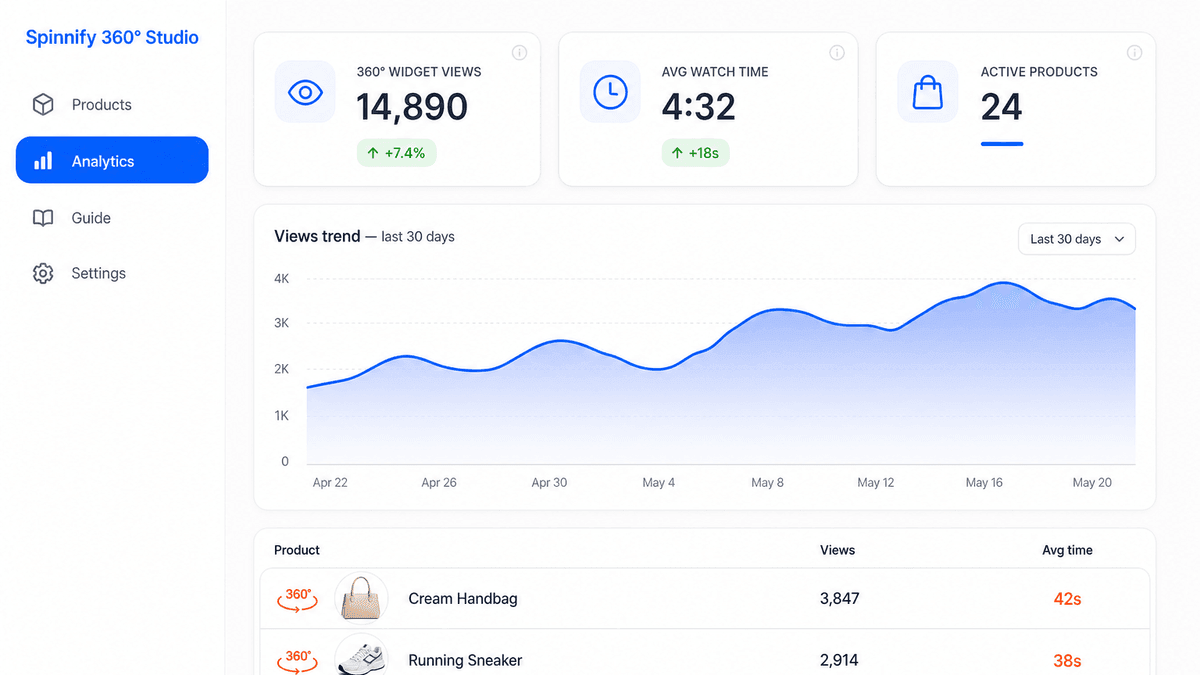
Track opens, views, and watch time per product
Skip the turntable, rotation video, and 36-frame studio shoot. Upload one to three product photos from different angles in Spinnify 360° Studio. Our AI generates a smooth 360 product spin, builds 36 frames, and publishes an interactive 360 product viewer on your ecommerce product page.
Smartphone product photos are enough for AI: neutral background, product centred, no hands in frame.
Same ecommerce publish path as photo or video uploads: cloud CDN delivery, lazy-loaded 3D button, SKU matching.
Built for catalogs that need a 360 product view today — not a warehouse reshoot tomorrow.
Sign in to Spinnify 360° Studio and open any product card to start.
Already have a product GLB? Upload it to Spinnify 360° Studio and publish an interactive 3D product viewer on your ecommerce page. Shoppers rotate, zoom, and inspect the model in the browser — no custom WebGL build. Use the same storefront widget as your 360° spins: snippet, iframe, or public link.

Paste one <script> or your own on-page button — bind by SKU, URL, Schema.org, or data-spinnify-*. Show an interactive 3D product view in a modal for Shopify, WooCommerce, Webflow, and custom storefronts.
Create a product, upload frames or a rotation video, and connect the widget to the product page. Your shoppers get a fast modal popup viewer; your team keeps control in the dashboard.

Up to 36 spin frames—or one short turntable video; we extract 36 frames automatically
Frames are prepared for fast storefront loading
The interactive 3D view opens without breaking your page layout
A ready storefront trigger shoppers understand immediately
Connect by SKU, Schema.org AUTO, or product page URL
Publish, pause, edit, and manage 360 views without code deploys
Test the 360 product display before it appears on the site
See which 360 product views shoppers actually open and watch

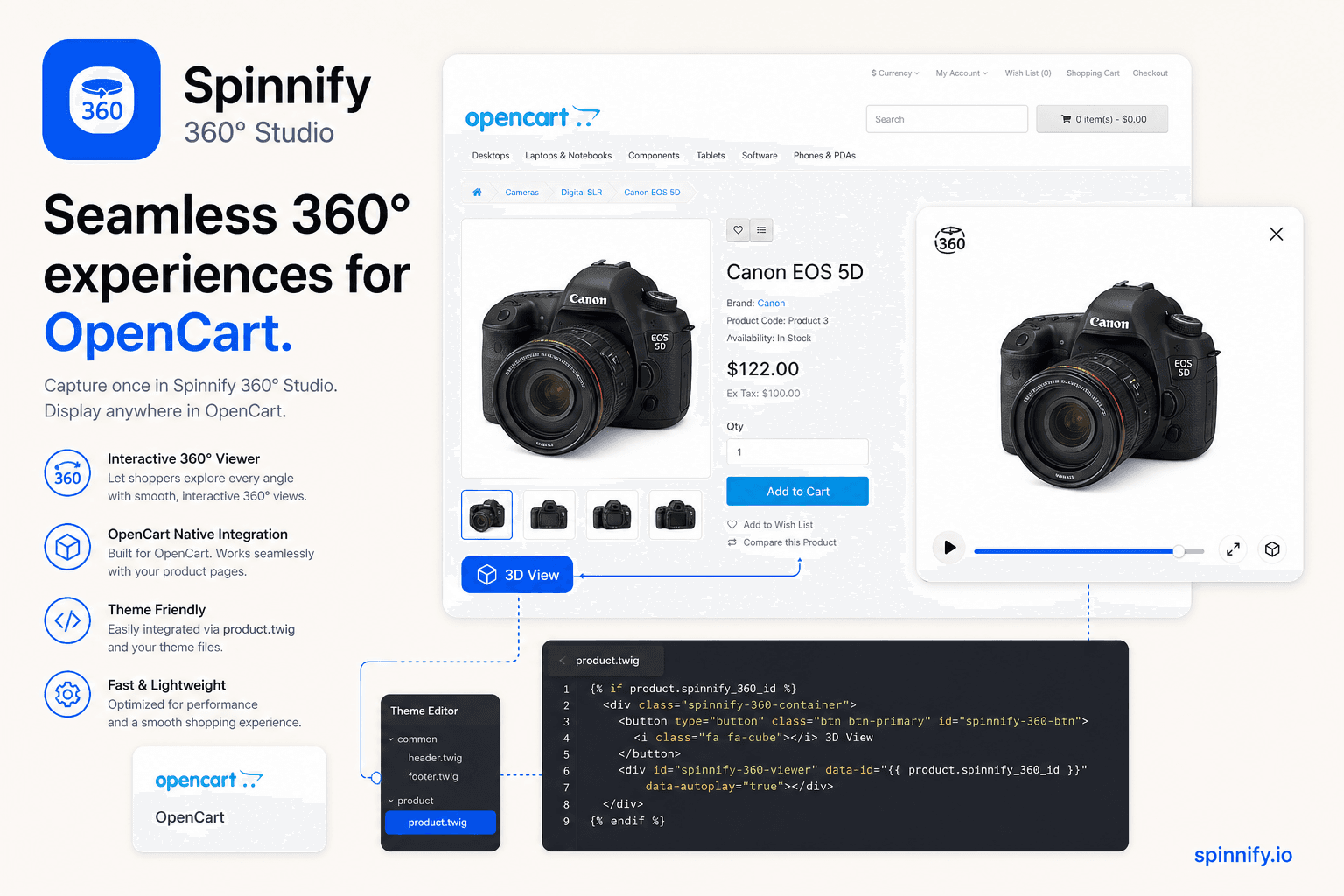
Create a product, upload frames or a short rotation video, and paste the snippet into your Shopify theme, WooCommerce template, CMS, or Custom HTML block. The “3D” trigger opens the 360 product viewer in a modal popup and matches products by SKU, URL, or AUTO markup.
Add optional hotspots inside the 360 product view so shoppers can tap details while the item rotates. It is still a no-code storefront experience: the viewer opens from the same modal popup widget.

Set a hotspot on the anchor frame — position, title, and optional link. AI calculates the rest automatically.
Computer-vision tracking maps the hotspot across every frame so it follows the product as shoppers rotate.
Shoppers see pulsing dots on the 360° product. One tap reveals details, descriptions, or external links.
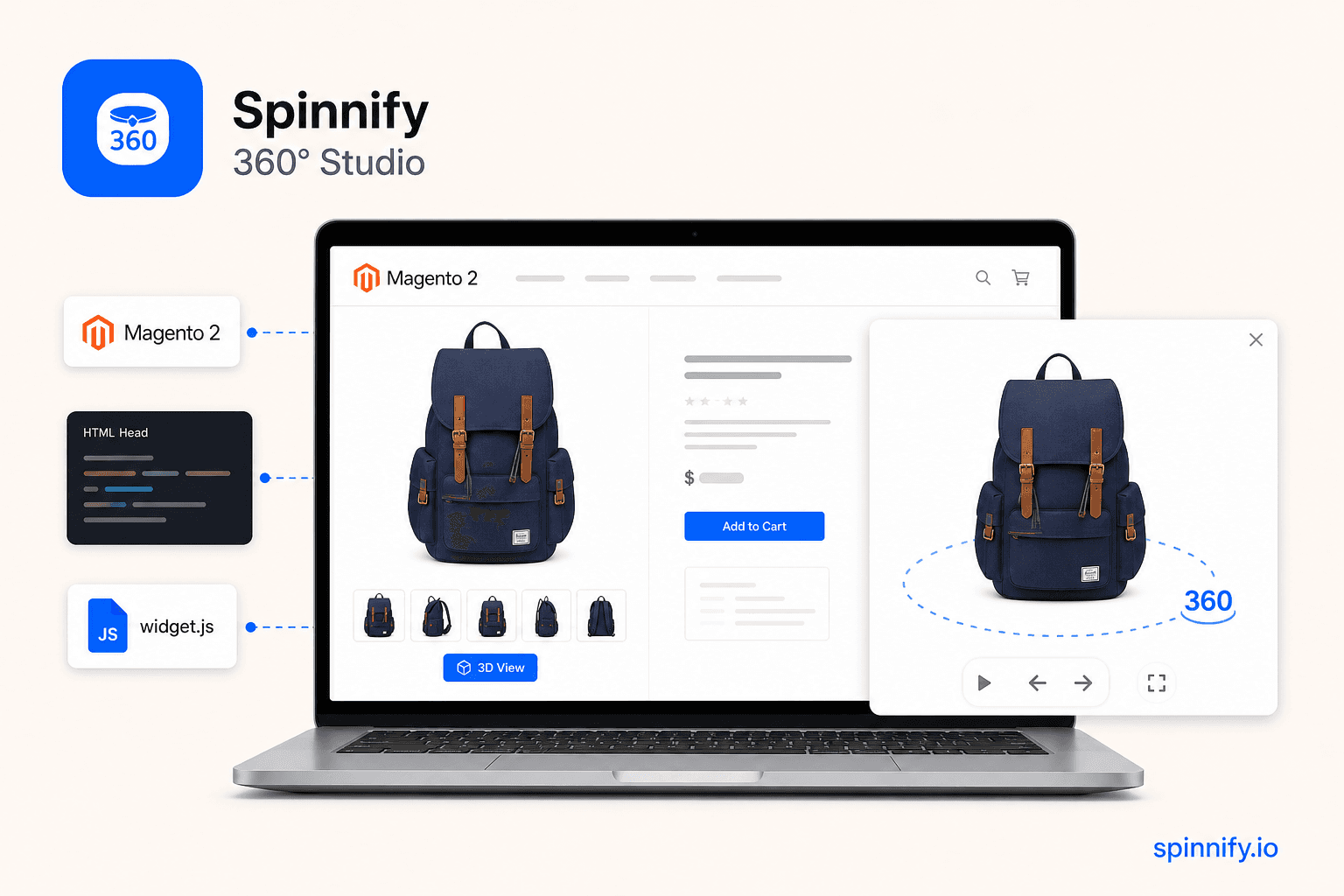
Paste <script> into <head>, your storefront template, or a CMS custom-code block — or wire your own on-page button. The viewer binds by SKU, Schema.org Product markup (AUTO), page URL, or data-spinnify-* on your button.
Best when the product page already has a SKU or product code
The widget reads Product markup and connects the right viewer
Useful for landing pages, CMS templates, and Custom HTML installs — when the product page URL is stable
Your own “View in 3D” CTA anywhere on the page — no floating Spinnify 360° Studio button
Platform-specific setup lives in our integration hub.
Embed 360 viewer — integration guideInstall on Shopify, WooCommerce, CMS, or Custom HTML pages
No theme rewrite for most storefronts
One dashboard controls publishing
Per-product widget analytics
and pretty much any website
Articles on Shopify, WooCommerce, Webflow, and page speed — for merchants who want interactive product spins without hiring a dev team.
No-code 360 viewer basics
No. Spinnify 360° Studio (spinnify.io) is a no-code ecommerce 360° product viewer. Spinify (spinify.com) is a sales gamification platform. Different products and companies.
A no-code 360 product viewer lets you show an interactive product spin on a website without building a custom viewer. Spinnify 360° Studio provides the dashboard, snippet, modal popup, and product matching.
Upload spin frames (up to 36) or one short product rotation video in Spinnify 360° Studio, publish the item, and paste one <script>, iframe, or Custom HTML block into the page. The widget opens the 360 view in a modal popup.
Yes. If the platform lets you add a script, iframe, or HTML block, Spinnify 360° Studio works as a 360 product display widget. Matching uses SKU, URL, Schema.org, or your own on-page button with data-spinnify-*.
Spinnify 360° Studio is not a photo studio—it is a no-code 360° viewer and dashboard. After you upload spin frames, Spinnify 360° Studio stores and delivers them from its fast CDN with automatic resize, WebP/AVIF conversion, and optimization. Your storefront only loads a lightweight widget snippet; spin images are not hosted on your web server.
Yes. Spinnify 360° Studio builds interactive spins from a photo sequence or a short rotation video around the product—not from a custom 3D mesh. Upload frames or video in the dashboard and publish the widget. No CAD, WebGL scene, or per-SKU 3D modeling is required.
Yes. Start with a free demo to explore the dashboard and widget. Paid plans scale with how many products you keep active; billing runs through Stripe and you can change or cancel anytime in the dashboard.
Shopify, WooCommerce, and product matching
Usually no. For Shopify, WooCommerce, Custom HTML, and many ecommerce templates, pasting the snippet is enough. A developer may help only when your platform blocks custom code.
Yes. Manual SKU mode and URL mode do not require Schema.org. AUTO mode is available when the product page already has Schema.org Product data.
The modal popup keeps shoppers on the product page, while the iframe isolates the interactive 3D view from storefront CSS and scripts. That makes installation simpler and more stable.
Create a product in Spinnify 360° Studio, upload frames, and paste the widget <script> into Tilda site settings (before </head>) or a T-code / HTML block on the product page. Match the product by SKU, page URL, or Schema.org AUTO—no custom Tilda module required.
Yes. On Shopify, use the Spinnify 360° Studio app (see the integration guide). On WooCommerce and similar platforms, paste the snippet in the theme or product template. Matching uses SKU, page URL, Schema.org, or a custom trigger button.
Yes. Copy a public viewer link from the Spinnify 360° Studio dashboard and send it in email, chat, B2B quotes, or marketplaces that block scripts. The buyer opens the same interactive spin in the browser—no snippet on the host page required.
Display, frames, and modal popup
Most products look smooth with 24–36 frames. Fewer frames load faster; more frames can feel smoother. Or upload one short turntable video (up to 35 seconds)—Spinnify 360° Studio extracts 36 evenly spaced frames automatically.
Yes. Each product has publishing controls in the dashboard, so you can enable, pause, or update the 360 view without changing the site snippet.
Spinnify 360° Studio is building iOS and Android apps for guided capture on a turntable. Frames compress to WebP on device and upload to your workspace with your API key—the same items can power the site widget once published.
Yes—in the Spinnify 360° Studio web dashboard, drop one short turntable video (MP4, WebM, or MOV, up to 35 seconds and 50 MB) into the same upload zone as spin frames. Spinnify 360° Studio validates the file, extracts 36 frames across the timeline, and uploads them to the cloud. Use landscape for the main 4:3 series and portrait for the optional 3:4 mobile series. One video per upload—do not mix video and photos in the same drop. Video upload is available in the web dashboard; the mobile app captures individual frames, not video files.
3D product models and GLB viewer
A 3D product viewer displays an interactive product model in the browser. Shoppers can rotate and zoom the model to inspect it from different angles without leaving the product page.
Upload a GLB model to Spinnify 360° Studio, publish the product, and connect it using the existing widget, iframe, or public link. No custom WebGL viewer is required.
Spinnify 360° Studio supports GLB, a compact web-ready format that can contain the model, materials, and textures in one file.
A 360° spin uses product photos captured from multiple angles. A 3D viewer renders a GLB model and allows free rotation and zoom. Spinnify 360° Studio supports both formats.
Yes. A published 3D product has a public viewer link. Copy the link or share its QR code so customers can open the model on desktop or mobile.
The 3D viewer loads when a shopper opens it rather than during the initial page load. This keeps the storefront lightweight while the GLB model is delivered separately.
Technical implementation
Frames are stored on Spinnify 360° Studio's CDN and served through an optimized delivery pipeline—resize, modern formats (WebP/AVIF), and quality tuning per viewport. The viewer loads only when a shopper opens the 3D control, so the product page stays light.
Spinnify 360° Studio is designed for a light first paint: frames are hosted on Spinnify 360° Studio CDN and served as optimized variants (resize, WebP/AVIF). The interactive viewer loads when the shopper opens the 3D control—not on initial page load. The modal keeps the spin isolated from your theme CSS and scripts.
With Spinnify 360° Studio. You upload spin frames or a rotation video in the dashboard (or frames via the mobile app); Spinnify 360° Studio stores them on fast cloud CDN storage and serves optimized variants to shoppers. Your site embeds only a small widget script—no need to upload hundreds of frames to Shopify, WooCommerce, or your own hosting.
Conversion and shopper intent
Photos are static and video controls the story. A 360 product display lets shoppers choose the angle themselves, which helps them inspect shape, details, and materials before buying.
For many catalogs, yes. Video plays a fixed story; 360° lets shoppers control the angle and inspect details at their pace—often with a lighter page weight than autoplay video. It complements still photos rather than replacing your full media mix.
Interactive product detail
Hotspots are optional points inside the 360 view. They can explain materials, features, or product details while shoppers rotate the item in the interactive viewer.
No-code integration
Yes. Spinnify 360° Studio behaves like a universal ecommerce 360 spinner plugin on the storefront: one snippet, a 3D trigger, modal popup viewer, and matching by SKU, URL, or Schema.org.
Yes. The on-site widget is an interactive 3D product view modal popup snippet: paste it, connect a product, and shoppers can open and rotate the item from the page.
Yes, wherever you can add a <script>, iframe, or custom HTML block. Webflow custom code, WordPress headers, Shopify theme snippets, and WooCommerce templates follow the same pattern: paste once, bind by SKU, URL, or Schema.org AUTO.
Start with a free demo, then choose a paid plan when you are ready to publish more no-code 360 product viewers. Compare 360 product viewer pricing for your catalog size—switch or cancel anytime in the dashboard.
Monthly billing each month. Limits by created products.
$0free trial (demo)
Try Spinnify 360° Studio with one or two products — ideal for a quick proof of concept.
$15/ month
For small catalogs and your first live integrations.
$29/ month
For shops that add products often and need more headroom.
$99/ month
For large catalogs, teams, and higher volume.
Paid plans are billed through Stripe. Yearly billing is one payment with the same product limits.
We are building a companion app that will help teams capture product spin frames on a phone and send them to Spinnify 360° Studio. The goal is simple: shorten the path from product images to a live no-code 360 viewer on your site.
Guided capture for a full spin sequence without leaving the app.
Prepares frame files for the viewer so less desktop work is needed.
Uploads to your workspace with your personal API key.
Helps teams publish many SKUs faster.
Once frames are ready, the existing site widget can show the new 360 view.
Exact launch timing and feature set may change—we’ll share more as we get closer to release.